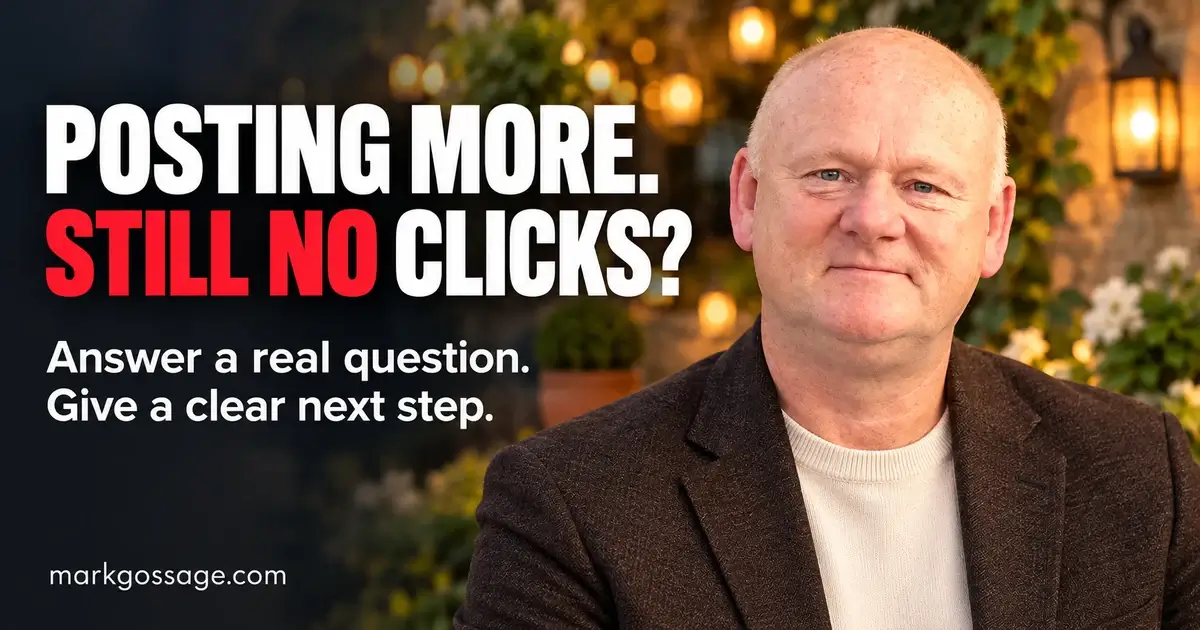
Affiliate Content Strategy: Turn Posts Into Useful Answers
You spend an evening writing a post, choosing an image and trying to make the opening sound interesting.
You publish it. A few people react. Perhaps someone clicks.
Then everything goes quiet.
Meanwhile, another marketer seems to be everywhere: videos, emails, reviews, tutorials. You start wondering whether you need to work harder, buy another tool or post twice as often.
But before you add more work to your week, ask yourself:
“Does my content help a particular person make a decision they care about?”
If that connection is missing, publishing more can leave you with a growing pile of content and very little understanding of what to improve.
Let’s build a more useful approach: one that gives your content a purpose, helps readers before asking them to click and lets you learn from what happens next.
Why content can get attention without moving your business forward
A person can enjoy a post without needing your recommendation.
They can click because they’re curious, then discover that the product is too expensive, too advanced or unrelated to what they expected.
They can be interested and still leave because the next step is confusing.
That means “my content isn’t working” can describe several different problems:
- The intended audience isn’t seeing it.
- The subject is too broad to feel relevant.
- The opening promises something the content doesn’t deliver.
- The explanation leaves important questions unanswered.
- The recommendation doesn’t fit the reader’s situation.
- The destination page breaks the connection.
- The form, link or follow-up process isn’t working.
You need to identify the weak step before deciding that more traffic is the answer.
1. Give each piece of content one clear job
“Promote this product” is an instruction to you. It isn’t a useful purpose for your reader.
A stronger purpose describes what someone will understand or be able to do after reading.
| Vague content idea | Clearer purpose |
|---|---|
| Review an email platform. | Help a beginner check whether the cheapest plan can deliver a guide and send a welcome email. |
| Promote website hosting. | Explain the first-year and renewal costs for someone building one small website. |
| Write about landing pages. | Help someone check why visitors aren’t completing their sign-up form. |
| Show an AI writing tool. | Demonstrate how it handles one defined writing task and what still needs human checking. |
Before writing, complete this sentence:
“After reading this, someone who is __________ will be better able to __________.”
If you cannot finish it clearly, narrow the subject.
2. Find questions people actually need answered
You don’t have to invent a brilliant new angle every morning.
Start with the questions people ask while trying to solve a problem.
Useful places to investigate include:
- Comments beneath relevant tutorials.
- Customer support discussions.
- Community questions and their replies.
- Product reviews, particularly detailed mixed reviews.
- Questions sent to you directly.
Read the existing answers. Look for what remains unclear rather than repeating a point someone has already explained well.
Build a small question bank
For each useful question, record:
- The question: What does someone need to understand?
- The situation: What are they trying to do?
- The obstacle: What is stopping them?
- The missing explanation: What hasn’t been answered clearly?
- The evidence needed: What must you test or verify?
- A suitable format: Would text, screenshots or a demonstration explain it best?
Keep the focus on the problem. Avoid collecting unnecessary personal information or copying someone’s private experience into your marketing.
Choose a question you can answer responsibly
A question being popular doesn’t automatically make it right for your content.
Choose something you understand, can research accurately or can demonstrate. If you cannot verify an important detail, say so or leave the claim out.
3. Match your content to the reader’s stage
Someone trying to understand a problem needs different help from someone ready to compare prices.
Think about the decision immediately in front of them.
| What the reader is thinking | Useful content | Appropriate next step |
|---|---|---|
| “Why isn’t this working?” | A troubleshooting guide with checks and possible causes. | Complete a diagnostic checklist or read the relevant repair instructions. |
| “What are my options?” | An explanation of suitable approaches and their trade-offs. | Explore the option that fits their situation. |
| “Which product suits me?” | A comparison based on tasks, costs, requirements and limitations. | Check the current details for the most suitable option. |
| “Can I use this?” | A realistic demonstration of setup or a common task. | Follow the steps or assess whether the process is manageable. |
| “What happens after I buy?” | A clear walkthrough of onboarding and ongoing requirements. | Review support, terms and the work involved before deciding. |
This prevents every article from becoming a sales pitch, regardless of what the reader needs.
4. Create an answer that is useful without a purchase
Readers shouldn’t have to buy something to discover the basic answer you promised.
Give them a meaningful check, explanation or action within the content.
For example, if your subject is “Why isn’t my guide getting subscribers?”, help them investigate:
- Whether the page explains what the guide helps with.
- Whether the visitor has a reason to want that help.
- Whether the form works on a phone.
- Whether the button makes the next step clear.
- Whether confirmation and delivery work correctly.
You may discover that they already own everything needed to fix the problem.
That is still useful content. It gives someone a reason to trust the care behind your future recommendations.
Use this practical article structure
- Recognise the situation: Explain what the reader is trying to do.
- Answer the main question early: Don’t hide the useful point beneath a long introduction.
- Explain the process: Give steps in an order someone can follow.
- Show an example: Demonstrate what the advice looks like in practice.
- Explain limitations: Include circumstances where the advice or product may not fit.
- Offer one relevant next step: Tell them what it helps them do.
5. Replace vague praise with evidence
“Powerful,” “easy” and “game-changing” may sound enthusiastic, but they leave the reader doing most of the work.
Explain what happened, what you checked and what the person would need to do.
| Vague claim | More useful explanation |
|---|---|
| “It’s easy to use.” | Show the steps for one task and identify any setup knowledge required. |
| “It saves time.” | Describe the task it reduces and the checking or editing that remains. |
| “It’s affordable.” | Explain the current price, relevant limits and possible additional costs. |
| “It’s perfect for beginners.” | Explain which beginner task it supports and where someone might need help. |
When reviewing a product, distinguish between:
- What you personally tested.
- What official documentation states.
- What other users report.
- What you haven’t verified.
A short, specific demonstration can be more useful than several paragraphs of praise.
6. Choose the format that makes the answer clearest
You don’t need to produce every format for every subject.
Use a written guide when readers need detail
Articles suit instructions, comparisons, cost breakdowns and explanations someone may want to revisit.
Use descriptive headings, short paragraphs and examples. Include screenshots where they help explain an action, and keep them current.
Use video when seeing the process matters
A demonstration can clarify where to click, what a setting does or what someone sees after signing up.
Keep the task specific. Show the result and any relevant limitations. Avoid making someone sit through a long introduction before reaching the promised help.
Use a social post for one complete point
A useful social post can explain a common mistake, answer a focused question or give a short checklist.
It should stand on its own. A deeper article can offer additional detail without withholding the basic answer.
Use email to continue an existing conversation
Connect your message to what the subscriber requested. Deliver the promised resource, help with the next task and introduce recommendations when relevant.
7. Give people a clear reason to take the next step
“Click here” describes an action. It doesn’t explain the value of taking it.
Tell readers what they will find.
- “See the setup walkthrough before deciding whether this suits you.”
- “Compare the features included in the two plans.”
- “Use the checklist to test your sign-up process.”
- “Check the current price and renewal terms.”
Choose the next step according to the reader’s need. It might be another guide, a demonstration, an opt-in resource or a product page.
You don’t need to collect an email address before every recommendation. Use a sign-up when the resource and follow-up offer a worthwhile continuation.
Keep the destination consistent
If your content promises a beginner setup guide, the destination should clearly deliver that guide.
A sudden jump to an unrelated sales page asks the reader to start a different conversation.
Before publishing, follow the link yourself and ask:
“Would someone arriving from my content immediately understand why they are here?”
For affiliate recommendations, explain your relationship clearly near the recommendation. Don’t rely on readers finding a disclosure elsewhere on the site.
8. Distribute your content where it answers an existing need
Publishing an article makes it available. You still need a reasonable plan for helping suitable people discover it.
Choose a main channel you can maintain, then use relevant supporting opportunities.
- Your existing audience: Share the specific question the content answers.
- Email subscribers: Explain why the topic connects to what they requested.
- Relevant communities: Answer the question within the conversation, follow the rules and share a link only when it is allowed and adds necessary value.
- Your own related articles: Add a relevant internal link where the new explanation helps a reader continue.
- Collaborations: Offer a useful contribution to an audience with a genuine connection to the subject.
Avoid dropping the same promotional message into unrelated places. Reach matters, but so does the reason someone encounters your content.
Make search content clear and accurate
Use the language your intended reader uses for the problem. Give the page a descriptive title and organise the answer under useful headings.
Check important details against reliable sources. Update pricing, screenshots and instructions when they change.
Adding keywords cannot compensate for an explanation that fails to answer the question.
9. Repurpose one answer without creating a pile of repetitive posts
Repurposing works best when each version serves a clear purpose.
Consider a guide about choosing an email tool for a first free resource.
| Format | Useful angle |
|---|---|
| Blog article | The features and costs to check before choosing. |
| Short video | A demonstration of one guide-delivery test. |
| Facebook post | Why a low starting price may not include the automation someone needs. |
| A short checklist for testing the subscriber experience. | |
| Follow-up article | Answers to questions readers asked after the first guide. |
Adapt the opening, length and explanation for each setting. Check that every version makes sense to someone who hasn’t seen the others.
You can build this gradually. One useful article and one supporting post may be enough for your available time.
10. Measure the journey, not just the reaction
Views and likes can tell you that content received attention. They don’t explain the whole outcome.
Record a small set of information:
- The question the content answers.
- Where you shared it.
- Visits to the relevant page.
- Completed sign-ups and confirmed subscriptions, where applicable.
- Visits to the recommendation, where your reporting allows.
- Reported sales and retained commission.
- Advertising or other campaign costs.
- Questions and confusion raised by readers.
Reporting can have gaps. Different tools may count visits differently, and affiliate attribution depends on programme rules and tracking conditions.
Use the information to investigate, rather than treating every number as an exact explanation.
A simple cost example
Suppose you spend £40 promoting a useful guide. You receive 100 page visits and eight confirmed subscribers.
Your advertising cost per confirmed subscriber is £5.
That figure helps you compare tests. It does not yet tell you whether the campaign is profitable.
If you later retain £25 in attributable commission, you remain £15 below the advertising spend before other costs.
You have learned something about the journey. You haven’t yet demonstrated that increasing the budget makes sense.
What to check when the results disappoint
| What you notice | What to investigate | One possible improvement |
|---|---|---|
| Very few suitable people see the content. | Distribution, topic relevance and whether you’re reaching the intended audience. | Share a focused explanation in a more relevant setting. |
| People see the post but rarely continue. | Whether the opening and next step explain a clear benefit. | Make the specific question and destination clearer. |
| People visit but leave quickly. | Expectation mismatch, page usability and whether the answer is easy to find. | Bring the main answer forward and check the mobile experience. |
| Readers repeatedly ask the same basic question. | Whether an essential step or explanation is missing. | Add a worked example or clearer instructions. |
| People sign up but don’t confirm. | Email delivery, instructions and the confirmation process. | Test the complete process and clarify what the subscriber must do. |
| People explore the product but don’t buy. | Audience fit, costs, unanswered questions, seller-page clarity and decision time. | Address a verified information gap without increasing pressure. |
These are starting points. A drop-off suggests where to look; it doesn’t prove the cause.
Make one meaningful change, note the date and review the response. Small samples give limited evidence, so avoid rebuilding everything after one quiet post.
A worked example: turn one question into a connected content plan
The audience: A beginner creating their first free guide.
The question: “How do I make sure people actually receive it after signing up?”
The main article: A walkthrough covering the form, confirmation instructions, delivery email, download and mobile test.
The demonstration: Show a test subscription from start to finish, using test information and keeping private account details out of view.
The social post: Explain the difference between submitting a form and confirming a subscription.
The recommendation: Discuss a suitable email tool only after explaining the requirements. Include relevant plan limits, costs, limitations and your affiliate relationship.
The follow-up: Help the subscriber write a useful welcome email.
The review: Record which questions readers ask and whether the process works as described.
Every piece connects to the same practical need. You have a reason for the content, the recommendation and the next step.
A manageable plan for your next week
- Collect questions: Find a few relevant examples and read the existing answers.
- Choose one: Select a question you can answer accurately and usefully.
- Check the evidence: Test the process or verify the details you intend to explain.
- Create the main answer: Include a practical action, example and relevant limitations.
- Test the next step: Check links, page expectations, forms and delivery.
- Share appropriately: Use your main channel and one relevant supporting format.
- Review: Record what happened and choose one useful improvement.
Spread these tasks over a longer period if needed. A schedule you can maintain is more useful than one that leaves you exhausted and constantly behind.
Before you publish, use this checklist
- Can I name the person this helps?
- Does the title accurately describe the answer?
- Have I answered the main question clearly?
- Can the reader do something useful without buying?
- Have I checked important claims and product details?
- Have I distinguished testing from research?
- Are costs and limitations explained where relevant?
- Is any affiliate relationship clear?
- Does the next step fit the content?
- Have I tested the destination on a phone?
You don’t need every piece of content to be bigger. You need each piece to have a clear purpose and deliver on its promise.
Get clearer about how the foundations fit together
If you’re starting, or starting again, it can be difficult to see how your content, website, email follow-up and recommendations should connect.
My free Business Essentials Guide explains what every business needs and why, in plain language.
Use it to identify gaps in your understanding and choose a practical next step.
Get your free Business Essentials Guide here.
Then choose one question your audience needs answered. Create something that helps them move forward, give it a relevant next step and learn from the response.